Location, Location, Location! Today’s blog post is somehow related to yesterday’s news with facebook launching their Places feature but totally unrelated and completely unplanned, as I’m about (and I had had the idea to do so for a while) to show you how to embed Google maps into your websites or blogs in about 5 minutes and the usage (full blast) of around 3 brain cells.
Brace yourself, as it’s gonna be a quick one. Let’s start cooking, the recipe is as follows:
- a jQuery Javascript pack
- the gMap script
- a JavaScript Maps API key
- a location to point your map to
- a jQuery script to get the map working
Right let’s take those in the coming order.
A jQuery javascript pack
I usually tend to use the following one, but please use whatever pack you wish, from the Google code one, a pack you may have installed on your site, etc…
The gMap script…
…which I have downloaded from the official jQuery plugin website. As previously mentioned, its mini size should please you as it’s only 2 KB in size and allegedly very flexible and highly customizable.
Link here: http://plugins.jquery.com/project/gmap
A JavaScript Maps API key
Go to the Google code API location, and follow instructions on screen.
All you will be needing is a Google account a web address and a box ticked to get your key.
MY JavaScript Maps API Example
Within the JavaScript Maps API, place the key within the script tag when you load the API:
// Note: you will need to replace the sensor parameter below with either an explicit true or false value.
A location to point your map to
We are gonna be needing the longitude and latitude coordinates of our wanted location. Easy peasy, just open your Google maps and enter the location of your choice. Then copy and paste the following code into the browser address to get a pop up window indicating the longitude and latitude of your point.
javascript:void(prompt('',gApplication.getMap().getCenter()));
I could have picked the location of my office, but instead went for my favourite pub, Paddy Malarky’s in Paisley (Scotland). I haven’t been there since exiling back to the continent, but I surely could do with a pint and a chit-chat with master-o’the-place Fergus.
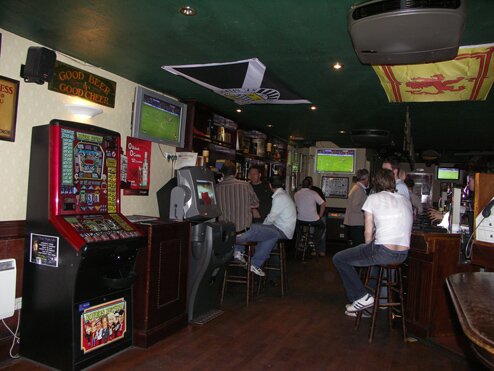
Anyway, cut a long story short, this is what I got by playing with the mentioned javascript line, having located the famously-known beverage place.

A jquery script to get the map working
Some jQuery code now to be able to show the map as desired. We are using the gMap function here (included in the gMap script), and passing a number of parameters such as ‘markers’ (and its coordinates worked out a bit earlier in the tutorial) and some html to give our location the name we want (I gave it here the name of my local, and some link to my twitter id). Note the links need to be set with quotes (and not double-quotes).
You can increment (or decrement) the Zoom value according to your likings.
$(function()
{
$("#paddys").gMap({ markers: [{ latitude: 55.845060449796684,
longitude: -4.425859451293945,
html: "Paddy Malarky's, Paisley
@shoogledesigns' official local
",
popup: true }],
zoom: 15 });
});
Finish it off with some CSS to align your Google map representation with the rest of your site, and you’re done!
Demo and Download.
Nice one