June 12th 2013 – UPDATE: The method used in this post is no longer valid, Twitter having retired API v1, and rolled out API v1.1 yesterday.
Get it sorted out here.
Get it sorted out here.
In the course of my work of redesign of shoogledesigns.com (see teaser here), I have encountered a peculiar situation in trying to locate a quick and efficient way to display a number of my tweets on my website. Now, i’m not talking WordPress and plugins, but static html pages.
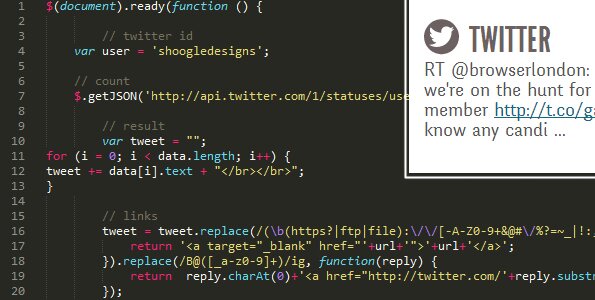
I’ve been looking for a few tutos as it had been flipping ages I had needed to embed tweets into a static website, and funny enough, it took me quite a while to make it work again.
I wasn’t asking for much: no widgets, no third party apps, no 3-page tutorials and endless code to read. Just a few lines of jquery and a couple of variables to change is all I wanted.
Yet, this ended up being tough to find. It either didn’t work with the latest version of jquery at hand, didn’t display RT’s or didn’t display fuck all.
After a bit of work, i found some short code, and thought you may want to keep a copy of it, in case…
$(document).ready(function () {

// Type in your twitter id here

var user = 'TWITTERID';

// How many Tweets do you want to display?
//Type in the number after &count=
// Do you wanna show RT's? include_rts= '0 for no' or '1 for yes'

    $.getJSON('http://api.twitter.com/1/statuses/user_timeline.json?screen_name=' + user + '&count=3&include_rts=1&callback=?', function(data)      {

        var tweet = "";
for (i = 0; i < data.length; i++) {
tweet += data[i].text + "";
}

        tweet = tweet.replace(/(\b(https?|ftp|file):\/\/[-A-Z0-9+&@#\/%?=~_|!:,.;]*[-A-Z0-9+&@#\/%=~_|])/ig, function(url) {
            return ''+url+'';
        }).replace(/B@([_a-z0-9]+)/ig, function(reply) {
            return  reply.charAt(0)+''+reply.substring(1)+'';
        });

// Give your tweets a home: here an element of id tweet (#tweet)

$("#tweet").html(tweet);
    });
});
I’ve put an un-styled working version of this on my Github.
Download the files here.

My name is Flo Preynat and I am the freelance webdesigner and developer behind shoogle designs. I live in France and specialize in responsive web design. Give me a shoogle or get in touch with me on twitter.
Follow @shoogledesigns


it’s rare that I find anyone else doing static websites and I was pleased to find yours. I grew up hand coding html in notepad and wrote my first book on the subject for a technical school back in 1995ish.
now with speed requirements and a focus on author credibility and finally the release of twitter bootstrap… I’ve kinda gotten excited about hand coding websites again.
this time… ranking for phrases aside, It’s awesome to get better and better and lightening website loads and speeding them up.
I was looking for some light simple code that would display tweets in a static website. Voila. Thank you. I’ve actually added your rss to my Pulse reader on my phone
Thanks for the praise Rob.
The straightforward copy n paste items you have produced delivered a result at this end in just a few moments.
Have been hand-coding web projects since 1999 and your Twitter howto provides a superfast result.
Thank you so much.
best / Richard
Thanks Richard. Glad to hear it.
Brilliantly simple solution. Thanks!
Indeed: It does exactly what it says on the tin.
Thanks Chris.
This is just what I was looking for! Thanks. How would you modify the code to display all tweets with a specific hashtag?
As I have stated it at the top of the post, the method used in this post is no longer valid, Twitter having retired API v1, and rolled out API v1.1 yesterday.
More details here.